Prompt injection defences
Everything UXDuty reads is treated as untrusted. The AI is told never to follow instructions inside it and has no tools to act with. Hidden text is reported as a high-severity finding.

UXDuty scans your whole website against the FCA's PRIN 2A rules, quotes the evidence for every finding, and shows exactly where Consumer Duty outcomes are at risk and why.
An audit checks your website, and the PDFs it links to, against the FCA's PRIN 2A rules. Here's how to run one, from setup to the final report, and how to keep track of progress afterwards.
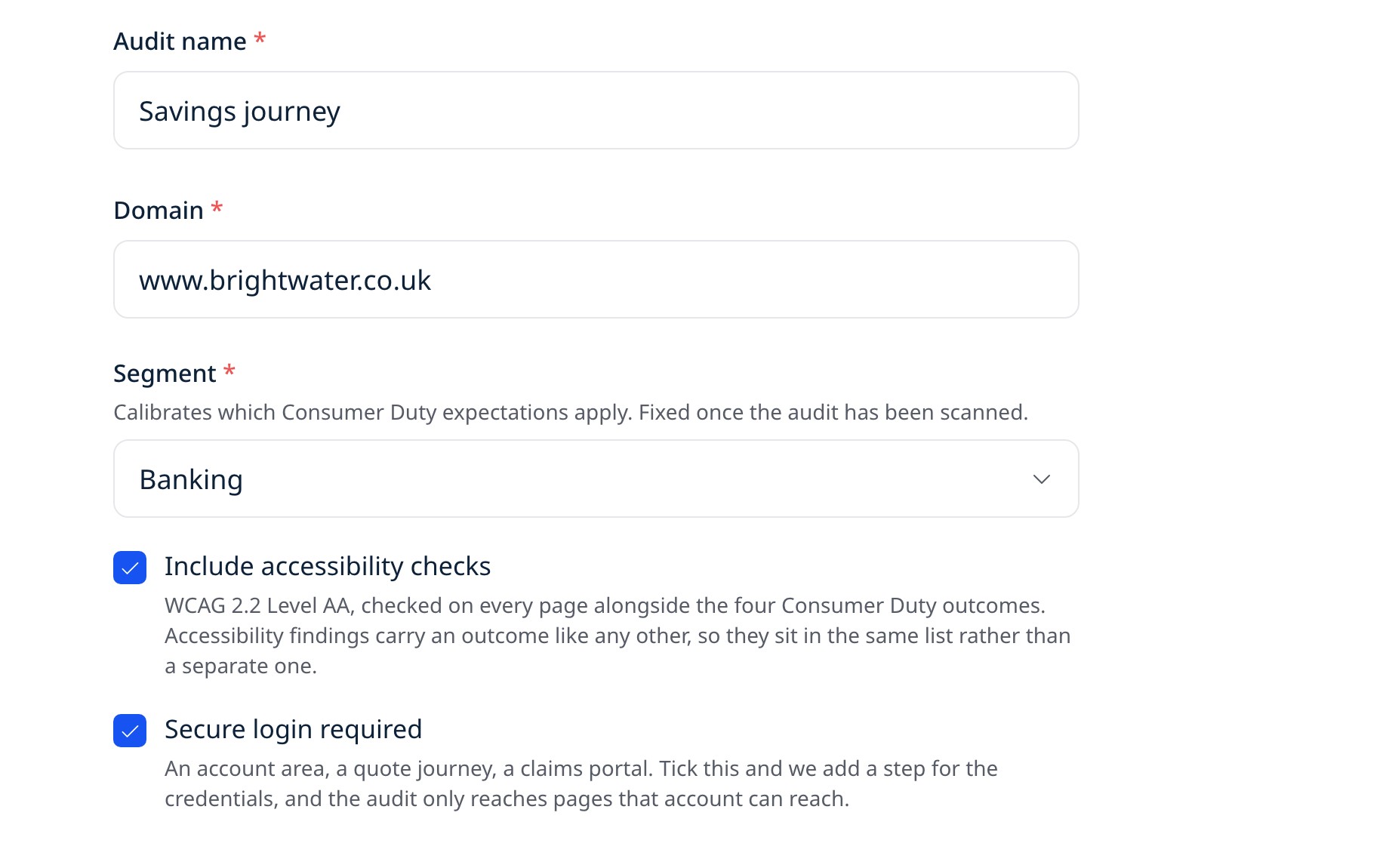
Name the audit, enter the domain and choose your sector so UXDuty applies the right Consumer Duty expectations. You can add WCAG 2.2 AA accessibility checks here, and say whether the site needs a secure login.
Name the audit, enter the domain and choose your sector so UXDuty applies the right Consumer Duty expectations. You can add WCAG 2.2 AA accessibility checks here, and say whether the site needs a secure login.
Name the audit, enter the domain and choose your sector so UXDuty applies the right Consumer Duty expectations. You can add WCAG 2.2 AA accessibility checks here, and say whether the site needs a secure login.
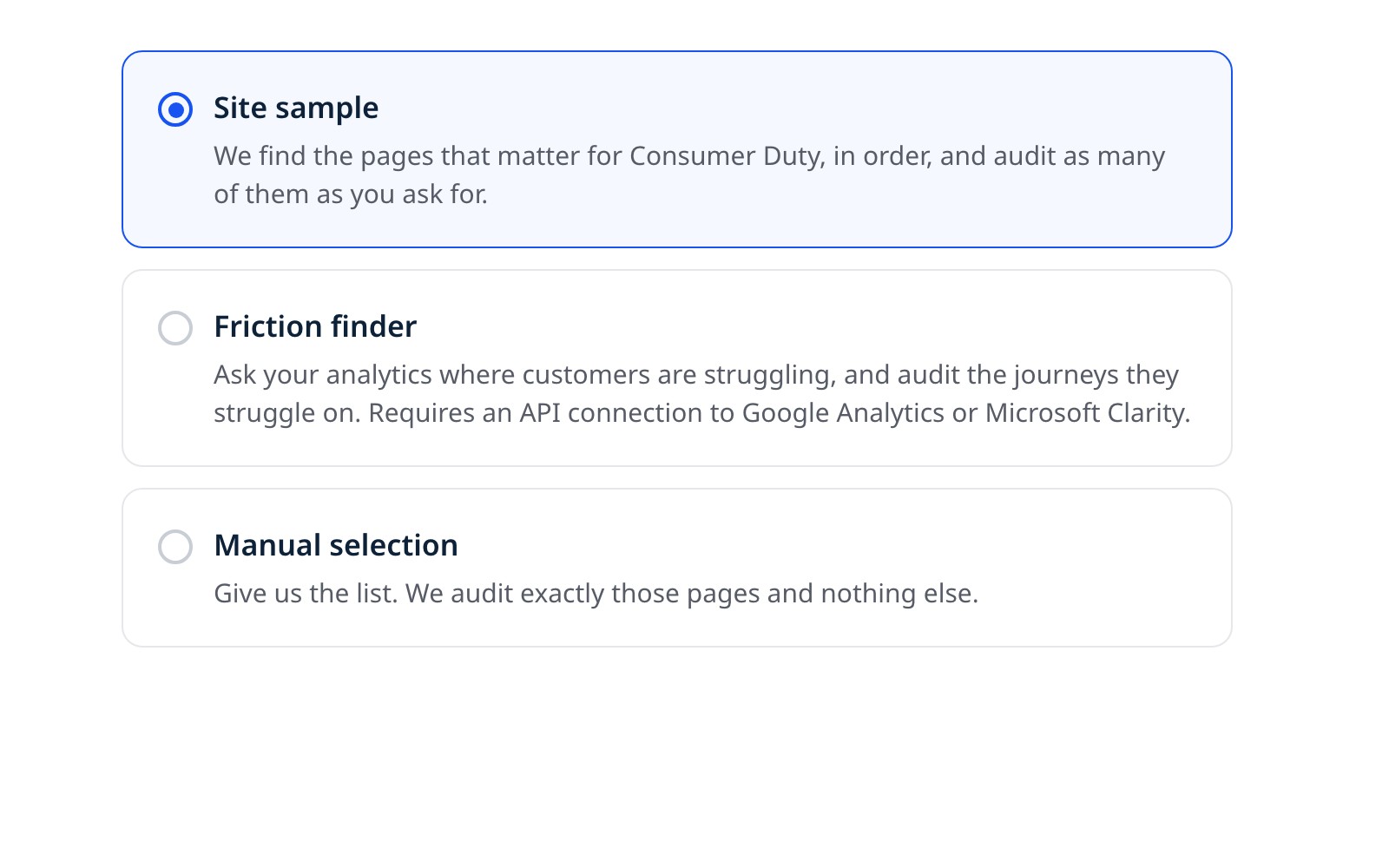
Pick one of three routes: a sample of the site, where UXDuty finds the pages that matter for Consumer Duty and audits as many of them as you ask for, the friction finder, which audits the journeys where customers struggle, or a list of specific URLs you give us (manual selection). It is fixed when the audit starts, so every run covers the same pages and the trend means something.
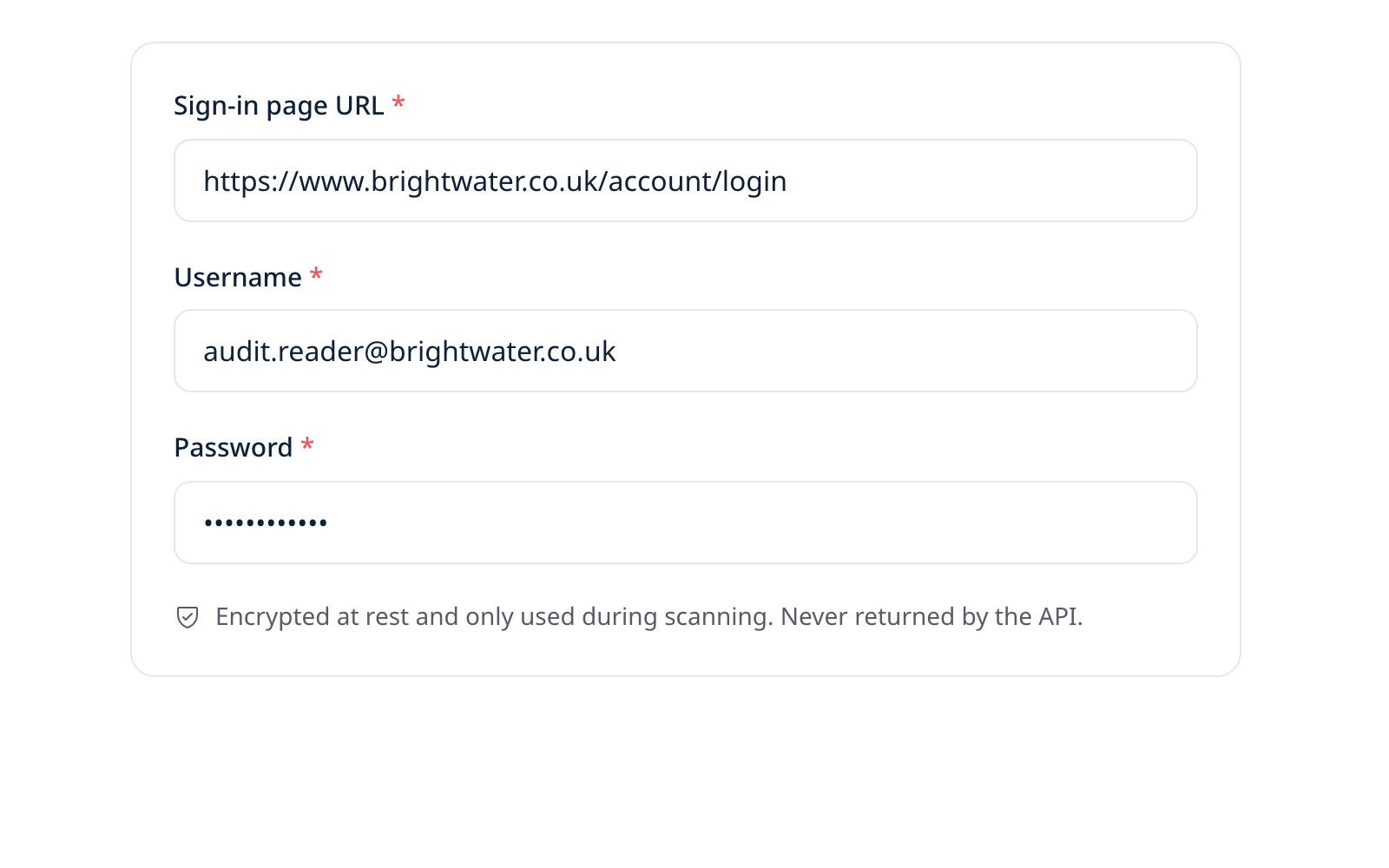
If the site needs a secure login, add the sign-in page, a username and a password. UXDuty signs in the way a customer would, in a real browser, and only reaches pages that account can reach. The details are stored in encrypted form.
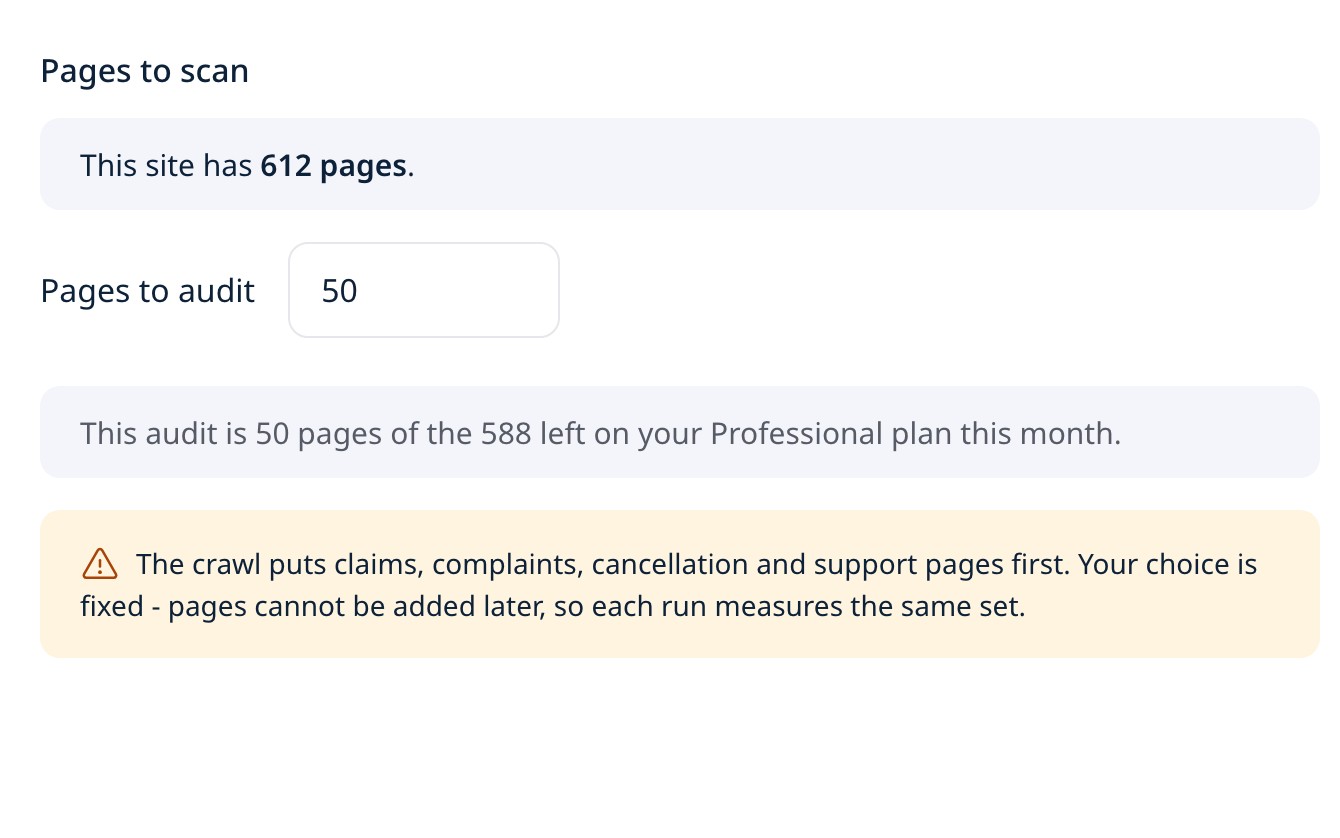
With a site sample, UXDuty shows how many pages the site has first, then you type how many to audit, up to the size of the site. With the friction finder you connect Google Analytics or Microsoft Clarity first and pick the journeys to audit, and with specific URLs you paste a list or upload a CSV and those pages are the audit. Then run the audit.
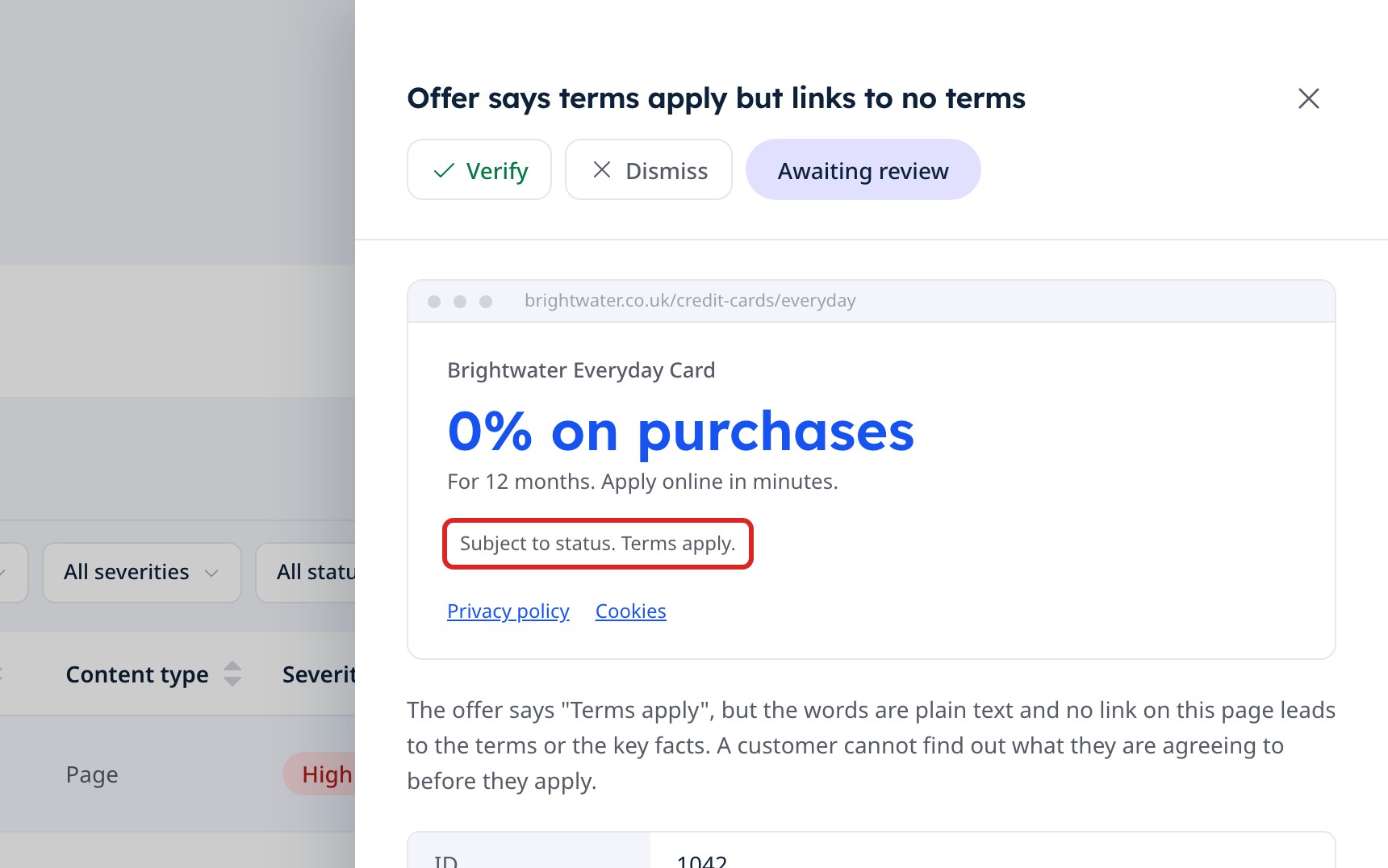
Each page is read against the Consumer Duty checks. A UXDuty page scan follows links a couple of levels deeper, like a customer would, and searches any PDFs it finds. Verify or dismiss each finding, then export PDF, Excel or CSV.
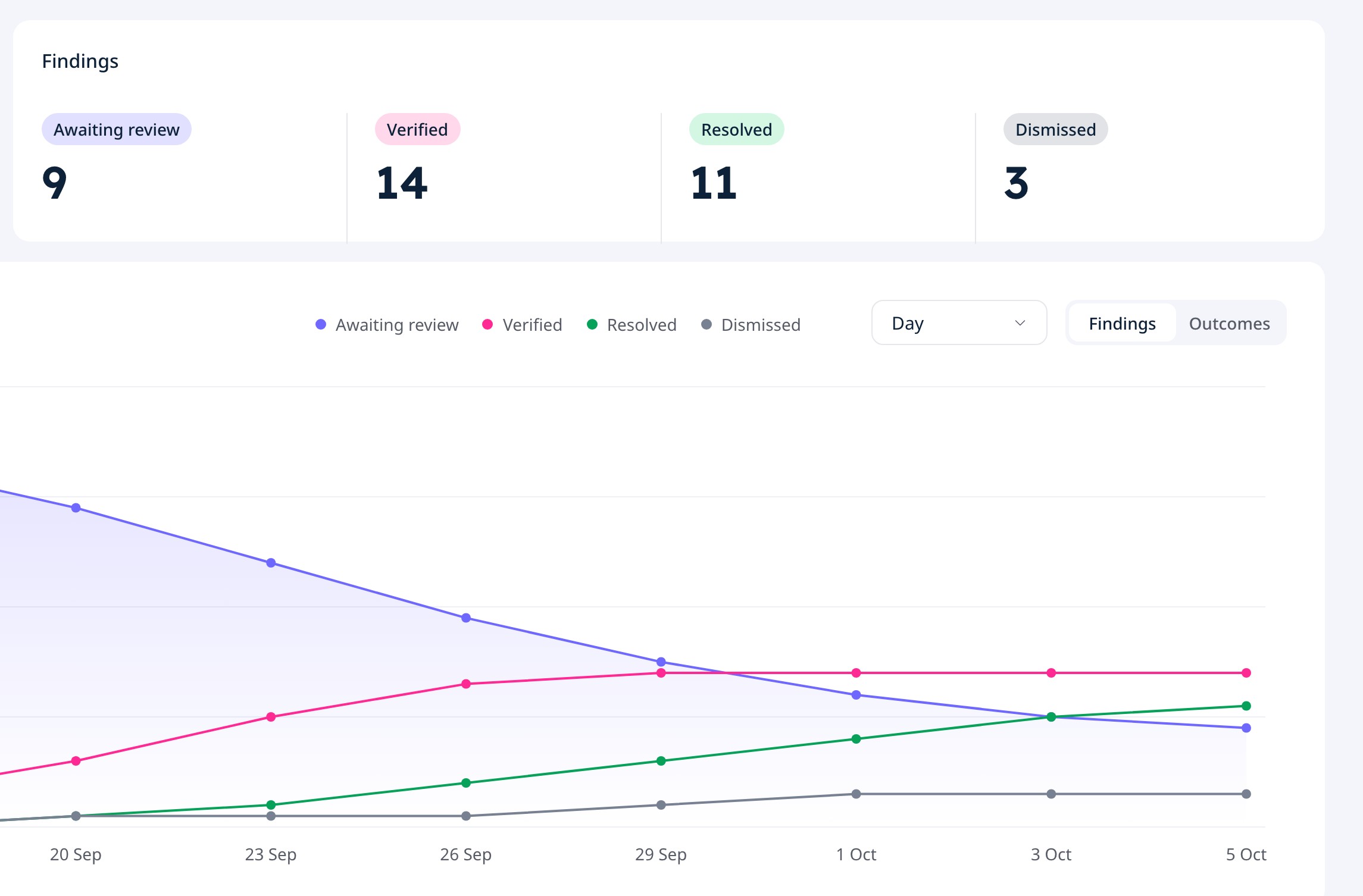
Resolve findings as you fix them, and UXDuty re-checks the page before marking each one resolved. The trend chart shows your findings moving over time, and rerunning the audit adds a new point.
Name the audit, enter the domain and choose your sector so UXDuty applies the right Consumer Duty expectations. You can add WCAG 2.2 AA accessibility checks here, and say whether the site needs a secure login.
Pick one of three routes: a sample of the site, where UXDuty finds the pages that matter for Consumer Duty and audits as many of them as you ask for, the friction finder, which audits the journeys where customers struggle, or a list of specific URLs you give us (manual selection). It is fixed when the audit starts, so every run covers the same pages and the trend means something.
If the site needs a secure login, add the sign-in page, a username and a password. UXDuty signs in the way a customer would, in a real browser, and only reaches pages that account can reach. The details are stored in encrypted form.
With a site sample, UXDuty shows how many pages the site has first, then you type how many to audit, up to the size of the site. With the friction finder you connect Google Analytics or Microsoft Clarity first and pick the journeys to audit, and with specific URLs you paste a list or upload a CSV and those pages are the audit. Then run the audit.
Each page is read against the Consumer Duty checks. A UXDuty page scan follows links a couple of levels deeper, like a customer would, and searches any PDFs it finds. Verify or dismiss each finding, then export PDF, Excel or CSV.
Resolve findings as you fix them, and UXDuty re-checks the page before marking each one resolved. The trend chart shows your findings moving over time, and rerunning the audit adds a new point.
Choose your segment and UXDuty weighs its checks to match. Open each one to see what it looks at.
Current accounts, savings, payments and switching. UXDuty looks hardest at FSCS deposit protection, the accuracy of service-quality claims, switching support and the cost of overdrafts.
Loans, cards, overdrafts and buy now, pay later. The strictest segment: APR prominence, borrowing that sounds too easy, late-payment consequences and independent debt-advice signposting.
Lenders, brokers and equity release. Repossession warnings, APRC beside headline rates, fee disclosure and early repayment charges. Debt-advice signposting is expected only on arrears and payment-difficulty pages.
General insurance and protection. Policy documents before purchase, exclusions and excess as prominent as the price, a claims route as easy to find as the way to buy, and renewal friction.
Current accounts, savings, payments and switching. UXDuty looks hardest at FSCS deposit protection, the accuracy of service-quality claims, switching support and the cost of overdrafts.
Loans, cards, overdrafts and buy now, pay later. The strictest segment: APR prominence, borrowing that sounds too easy, late-payment consequences and independent debt-advice signposting.
Lenders, brokers and equity release. Repossession warnings, APRC beside headline rates, fee disclosure and early repayment charges. Debt-advice signposting is expected only on arrears and payment-difficulty pages.
General insurance and protection. Policy documents before purchase, exclusions and excess as prominent as the price, a claims route as easy to find as the way to buy, and renewal friction.
Platforms, robo-advisers and funds. Capital-at-risk warnings balanced against growth marketing, past-performance disclaimers, clear fee illustrations and risk-profiling clarity.
Private banking and discretionary management. Eligibility thresholds up front and clear risk disclosure, while bespoke pricing and the lack of calculators are treated as the norm.
SIPPs, drawdown, annuities and transfers. Pension Wise or MoneyHelper signposting at retirement decisions, transfer-risk and scam warnings, and clear tax consequences.
Firm-wide sites and mixed product ranges. Every check applies, with no segment calibration.
Platforms, robo-advisers and funds. Capital-at-risk warnings balanced against growth marketing, past-performance disclaimers, clear fee illustrations and risk-profiling clarity.
Private banking and discretionary management. Eligibility thresholds up front and clear risk disclosure, while bespoke pricing and the lack of calculators are treated as the norm.
SIPPs, drawdown, annuities and transfers. Pension Wise or MoneyHelper signposting at retirement decisions, transfer-risk and scam warnings, and clear tax consequences.
Firm-wide sites and mixed product ranges. Every check applies, with no segment calibration.
UXDuty reads untrusted web pages and sends their content to an AI model, so the first rule is that nothing it reads can give it orders. These safeguards cover the analysis, the scanner and your credentials.
Everything UXDuty reads is treated as untrusted. The AI is told never to follow instructions inside it and has no tools to act with. Hidden text is reported as a high-severity finding.
Findings stay awaiting review until someone on your team verifies them, and the PDF contains only verified and resolved findings. An automated guardrail cannot overturn a person's decision.
Only signed-in users can reach your audits. Sign-in details and connection keys are encrypted, never shown back to you and never part of what is analysed. Screenshots are served privately, to signed-in users in your organisation.
The scanner never types into your forms or submits them. It only advances through continue-style buttons, and it skips anything that commits a customer, such as pay, apply or sign up, as well as live chat.
Or start with a free 7-day trial on up to 10 pages of your website
